
Flows
A flow is a list of steps a critter runs in order. Each step is a request from the project or a tool, such as prompt, pick, poll or Slack.
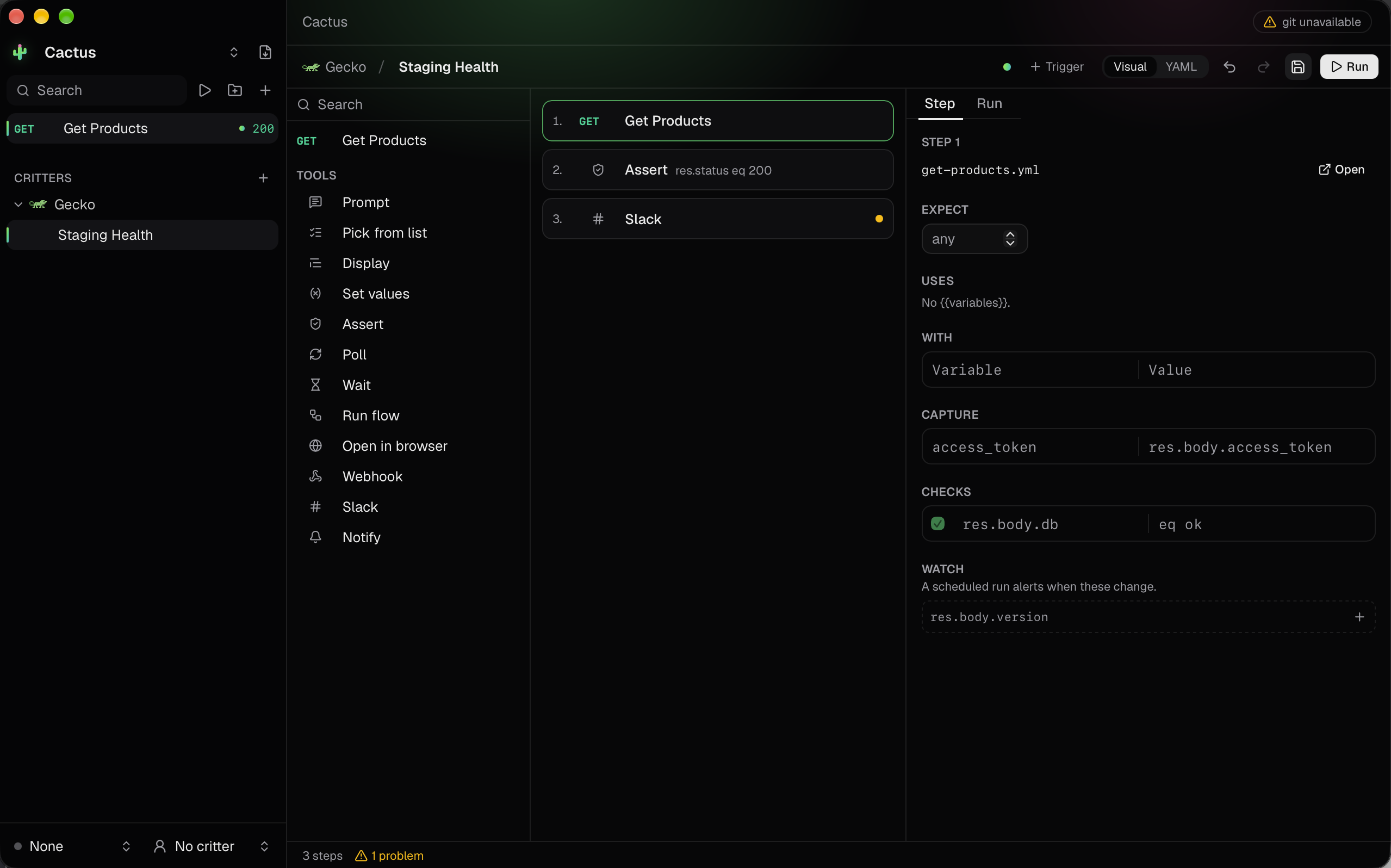
Flows live at critters/<critter>/flows/<flow>.yml. The file name is the flow’s id. Changes in the editor and in the file are the same thing.
Request steps
Section titled “Request steps”steps: - request: auth/login.yml - request: orders/create.yml with: # variables for this step only sku: TSHIRT-M capture: # saved to the critter's context orderId: res.body.id expect: 201 # replaces the request's status checks assert: # added after the request's own checks - expression: res.body.status operator: eq value: pending watch: # compared between scheduled runs - res.body.priceVersionNone of these change the request file.
Tool steps
Section titled “Tool steps”name: Refund an ordersteps: - tool: prompt vars: - name: email label: Customer email - request: customers/find.yml capture: orders: res.body.orders - tool: pick title: Which order? list: "{{orders}}" label: number set: orderId: id amount: total - tool: display title: Refund {{amount}}? pause: true - request: orders/refund.yml expect: 200| Tool | |
|---|---|
prompt |
Ask for values |
pick |
Choose an item from a list |
display |
Show a message; optionally wait for Continue |
set |
Set variables, e.g. $uuid |
assert |
Check variables |
poll |
Repeat a request until its checks pass |
wait |
Pause |
run |
Run another flow |
open |
Open a URL in the browser |
webhook |
Send any HTTP request |
slack |
Post to a Slack webhook |
notify |
Show a desktop notification |
Values between steps
Section titled “Values between steps”| Set by | Lasts |
|---|---|
capture, and set-variable actions in the request |
Saved to the critter’s context |
prompt, pick, set, poll |
The current run only, never written to disk |
The editor shows which variables pass between steps, and lists any step that uses a variable nothing has set.
Running
Section titled “Running”- App: Run. Each step shows its request and response. A failed step skips the rest of the flow.
- CLI:
cactus-cli flow . support refund --var email=jo@example.com. See CLI. - Schedule: see Schedules and alerts.
- Agent: see AI agents.
Reusing flows
Section titled “Reusing flows”- tool: run flow: seed-data- tool: run flow: login critter: adminFlows can call each other up to 8 levels deep.